 Owed
Keep track of what you owe, and what you’re owed.
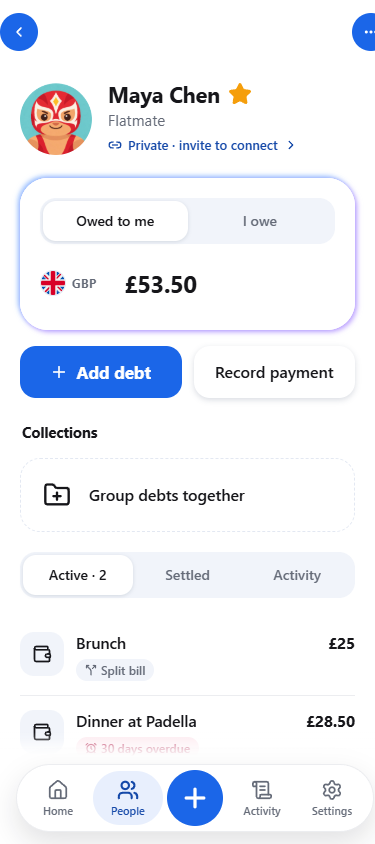
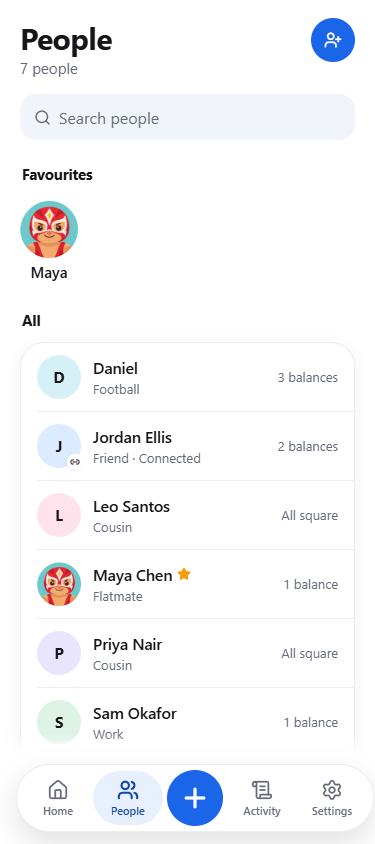
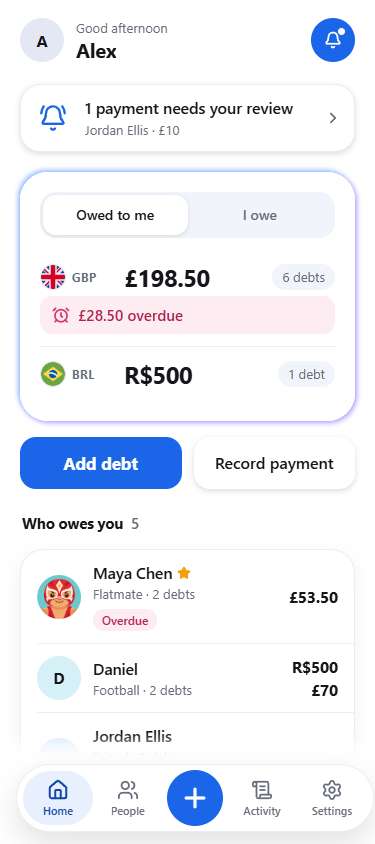
Owed is a simple, private ledger for money between you and the people in your life: friends, family, flatmates. It works even if they never join.
Download on the App StoreFor iPhone.

How it works

Add a person
Just a name. Owed never reads your contacts.

Record what happened
A loan, a bill you covered, a payment back. Add a photo of the receipt if you like.

See where you stand
Balances in each currency, what’s overdue, and what’s settled.
Made for the way money really moves between people
-
Private by default
Everything you record is yours. Nobody sees it unless you invite them.
-
Share when you want to
Give someone a short code and you both see the same ledger. Nothing is shared until they accept, and you can stop at any time.
-
Split a bill
Covered dinner for four? Split it in one go. Everyone owes you their share.
-
Receipts and proof
Attach a photo to a debt or a payment. Photos from other people stay blurred until you tap them, and you can hide or report them.
-
Opens without signal
Lost your connection? Owed still shows your last saved records.
-
Not a bank
Owed is a record-keeping tool. It never moves money and never connects to your bank.
Built to be private.
No ads. No tracking.
We never read your contacts.
You can delete your account inside the app at any time.
- Our Privacy Policy says it all in plain language.
Questions
Does Owed move money?
No. Owed only keeps a record. It never moves money, takes payments between people, or connects to your bank.
Does the other person need Owed?
No. You can keep a record about someone who never joins. If they do, you can connect so you both see the same ledger.
Is it free?
Owed is free to start. An optional Owed Premium subscription adds more; it is handled entirely by Apple.
Which phones does it work on?
iPhone.
Something isn’t right with a photo or a person.
You can hide or report a photo, and stop sharing with anyone, inside the app. See Contact and reporting.
How do I delete my data?
In the app: Settings, then Delete account. The Privacy Policy explains what is removed.
Help, privacy and legal
- SupportAnswers about the app, your account and Owed Premium
- Contact and reportingEmail us, or report a person or a photo
- Privacy PolicyWhat we collect, why, and your rights
- Terms of UseThe rules for using Owed
- Open-source noticesLicences for third-party material in the app
- Email ussupport@owed-app.com